Everything your business needs, in one system.
One sale on the till — and everything follows: stock, the customer's balance, the receipt on their WhatsApp, your books, your evening report. For shops, pharmacies, restaurants, salons and hotels. Run it from your phone, and know what happened while you were away.
- Stock dropped
- Receipt on WhatsApp
- Ledger written
- Evening report
Runs on what you already have.
The Android app, or the browser on any phone. Sales made offline queue and sync.
An installed desktop till for the counter. It keeps selling when the internet dies.
Nothing to install. Log in from any laptop or tablet.
A barcode scanner and a receipt printer if you have them. Receipts also go to WhatsApp.
Most shops do not lose money because they are not selling.
They lose it in the gaps. Stock that walks. A sale cancelled after the customer already paid. A bottle that poured twelve when it should have poured twenty. A debt nobody chased. Mobile money that never matched the till.
You cannot watch all of it at once. The system can.
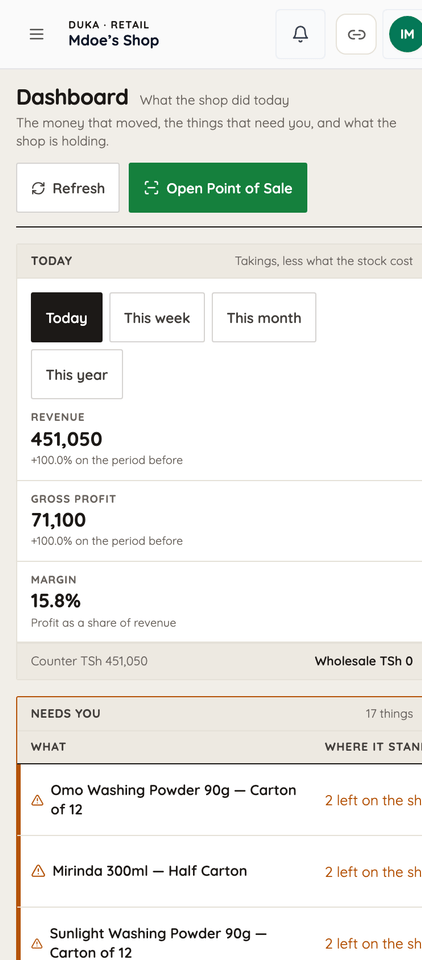
A cashier sells one item.
- Stock drops.
- If it was on credit, the customer's balance moves and a reminder is scheduled.
- The receipt goes to their WhatsApp.
- The accounting entry is written at the same moment as the sale.
- And your evening report knows about it before you get home.
Selling in ten minutes.
Your phone number.
We send a code by SMS. No card, no forms, no visit.
Your products.
Upload an Excel list, or add them one by one with the phone camera. Have a list but no time? Send it on WhatsApp and we help you load it.
Sell.
The first receipt goes out, stock drops, and the evening report arrives that night.
Every adjustment has a name on it.
Stock does not change without someone's login attached to it.
A waiter cannot cancel a bill alone.
It becomes a request a manager approves or rejects — and the request is kept either way.
Stock out is a request, not an action.
It goes to an approval queue with a history.
Open a bottle, count the pours.
The variance report shows what the bottle should have yielded against what it did.
Mobile money is matched against sales.
Anything that does not reconcile is listed for you, per shift.
Tips cannot be faked.
A waiter reports their own, but the identity comes from the login.
The ledger is written in the same transaction as the sale.
The books cannot disagree with the till.
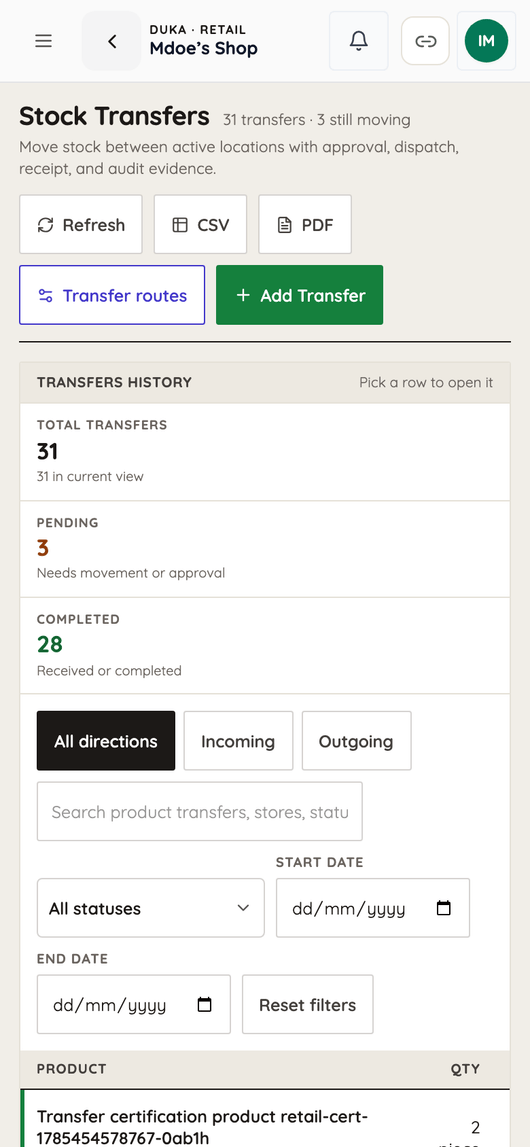
Most shop software gives you reports. This keeps your books.
Every sale, purchase, expense and payment posts to a double-entry ledger as it happens — against a real chart of accounts with cash, bank, mobile money clearing, receivables, inventory, work in progress, VAT input and output, payables, goods received not invoiced, fixed assets and accumulated depreciation.
Out of that you get, without anyone typing it up:
- Trial balance, general ledger, profit and loss, balance sheet, cash flow
- Tax summary, aging, and inventory valuation
- Accounting periods you can close, so last month stops moving
- Manual journals, opening balances, and journal reversal when a correction is needed
And the rest of the money surface:
- Receivables — a debtors workbench, top debtors, overdue list, customer statements, payments, reminders, and write-offs that need a decision and can be recovered or reversed
- Expenses with a transition workflow, not just a list
- Payroll — pay components, employees, a preview before you commit, then a run you recalculate, approve, pay or cancel, with payslips
- Fixed assets with monthly depreciation and disposal
- Mobile money reconciled against sales, with an unreconciled list and a shift summary
- Wallet with withdrawals and a fee preview
- Financing readiness — you give consent, the system builds a records package for a licensed lender, verifies its integrity, and transmits it. Consent can be revoked.
Your accountant will ask you for this. It is already done.
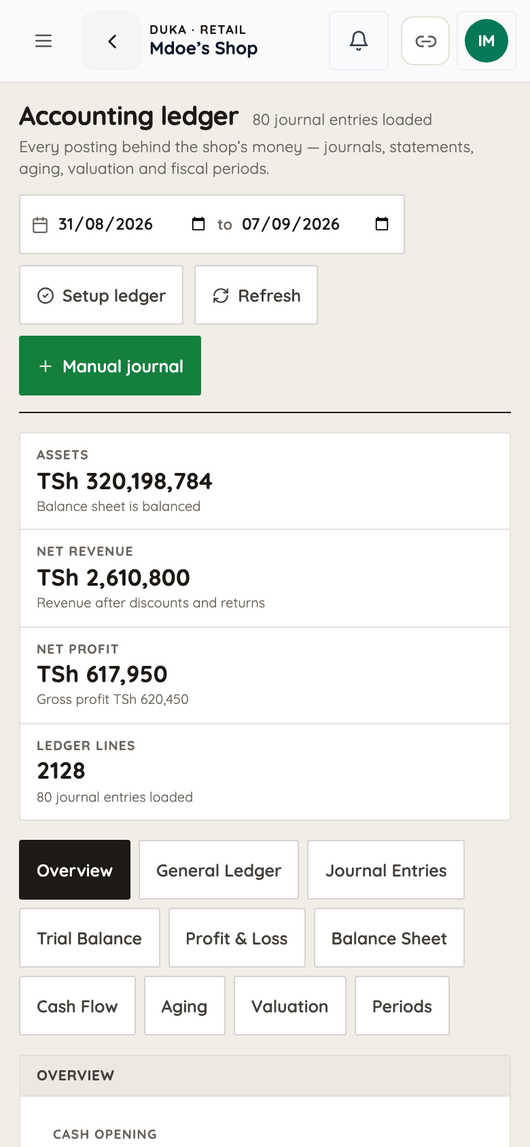
Built for how business works here.
- Mkopo is a payment method, not a workaround. Debts age, and reminders go out by SMS.
- Mobile money is reconciled, not just recorded.
- Receipts go to WhatsApp, because that is where your customers are.
- The installed desktop till keeps selling when the internet dies. Phone sales queue and sync when it returns.
- Kiswahili and English, and support in Kiswahili.
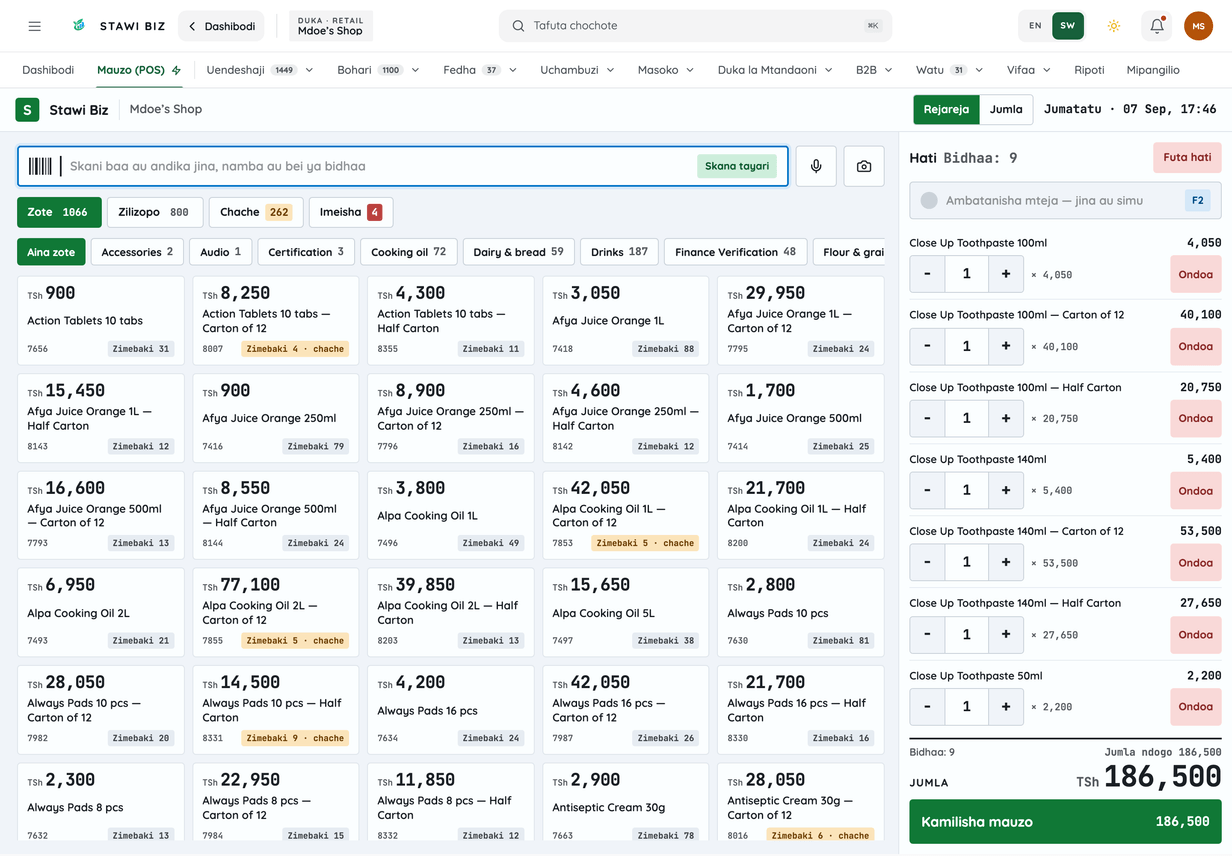
You start with a duka. Then you add a pharmacy counter. Then a restaurant. Then a second branch. Then a workshop, or rooms upstairs.
Most people change software three times. You would not have to.
Retail
till, stock, credit customers, suppliers, branches
See how it works →Pharmacy
batches and expiry, prescriptions, controlled register, cold chain, NHIF claim records, wholesale
See how it works →Restaurant
tables, kitchen display, bar tabs, recipe costing, approvals on every cancellation
See how it works →Salon & spa
clients book themselves from a link you share on WhatsApp
See how it works →Hotel
rooms, rates, folios, housekeeping, corporate accounts
See how it works →Workshop, showroom, warehouse
jobs, orders, production, stock
See how it works →One price per business type. Start small.
Duka POS — sell, stock and the day's report — is TSh 10,000 a month. Add a second business type at half its price. 14 days free on any plan. No card. Cancel anytime.
Retail
Shops, supermarkets, mini-marts, boutiques
Pharmacy
Pharmacies and chemists
Restaurant & Bar
Restaurants, bars, cafés
Hotel & Lodge
Hotels, lodges, guest houses
Salon & Spa
Salons, barbershops, spas
Club & Gym
Clubs, gyms, member venues
Does it work when the internet is down?
The installed desktop till keeps selling. Sales made on a phone queue up and sync when the connection comes back. Reports and WhatsApp receipts need internet.
Can my staff hide a sale from me?
Cancellations and refunds need approval, adjustments carry the name of whoever made them, and the accounting entry is written at the same moment as the sale.
I have two shops. Can I see both?
Yes. Branches, transfers between them, and per-branch reporting are standard.
Do I need a computer?
No. A phone is enough. There is also a desktop app for a fixed till and an Android app.
What if I want to stop?
Cancel anytime. Your records stay yours and can be exported.
Can my accountant use this?
Yes. It keeps a real double-entry ledger with a proper chart of accounts, and produces a trial balance, general ledger, profit and loss, balance sheet, cash flow and tax summary. Periods can be closed so last month stops changing.
Is my data safe?
Every action is tied to a staff login and kept in an audit trail. Access is controlled by role, so a cashier does not see what an owner sees.
Try it for 14 days.
If it does not show you something about your business you did not already know, stop.